
Guides
How to Put Yourself in Any Pose With AI (and Keep Your Own Face)
October 15, 2026 · 8 min read · By Abraham Richard, founder of ShePoses
The direct answer: use AI pose transfer. You give it two photos — a reference with the pose you want (from Instagram, TikTok, Pinterest, or your camera roll) and a photo of yourself — and it redraws you in that pose while keeping your face, skin tone, outfit, and background. It is different from face swap, which pastes your face onto someone else’s body and outfit, and from text-to-image generators, which invent a new person who only resembles you.
Pose transfer works best when the two photos are framed the same way: a selfie reference with a selfie, a standing reference with a standing photo, one person in each. Get that right and the result reads as a photo you took, not an AI picture of someone like you.
What is AI pose transfer?
Pose transfer separates what a photo is doing (head tilt, shoulder line, hip angle, where the arms and hands go) from who is in it. The AI reads the pose from the reference, then rebuilds your photo with your body in that position.
Everything that makes the picture yours stays from your photo: your face, your hair, your clothes and jewelry, and the room or street behind you. Only the pose comes from the reference — not the reference person’s face, outfit, tattoos, or location.
How is pose transfer different from face swap and AI photo generators?
Most “put me in this photo” tools solve a different problem. The difference matters most if you want to post the result as yourself.
| Method | What you keep | What changes | Best for |
|---|---|---|---|
| Recreate it yourself | Everything | You restage the pose and reshoot | When you have time, light, and a helper |
| Pose-guide camera overlay | Everything | An outline helps you line up before you shoot | Lining up a pose in real time |
| Face swap | Your face only | Body, outfit, and background become the reference’s | Memes and jokes, not posting as yourself |
| Text-to-image “AI headshots” | A resemblance | A new person is generated from a prompt or training set | Stylized portraits |
| AI pose transfer | Face, outfit, background | Only the pose | Turning a pose you saved into a photo of you |
How do you put yourself in a pose from a photo?
The workflow is the same in any pose-transfer tool. In ShePoses it takes about 30 seconds of waiting once both photos are in.
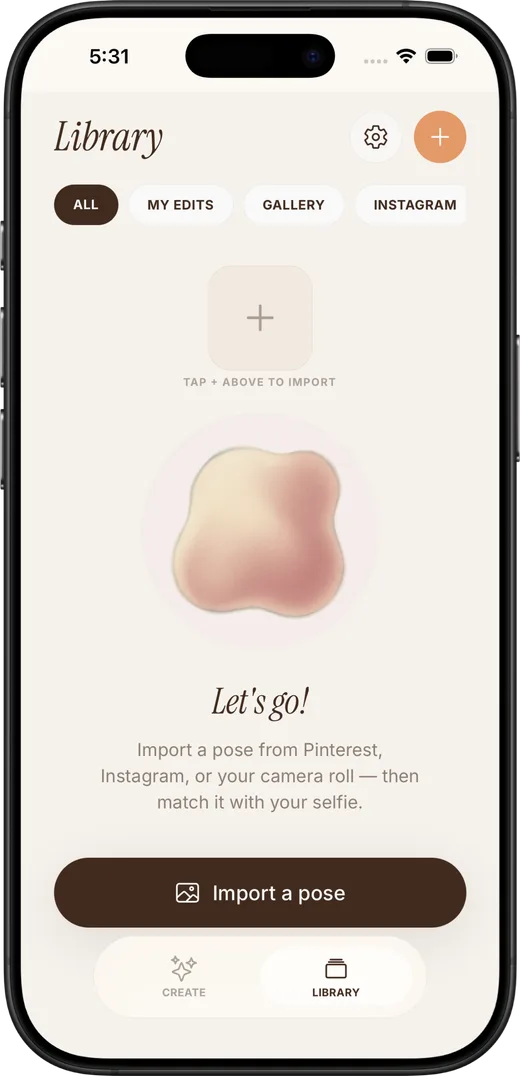
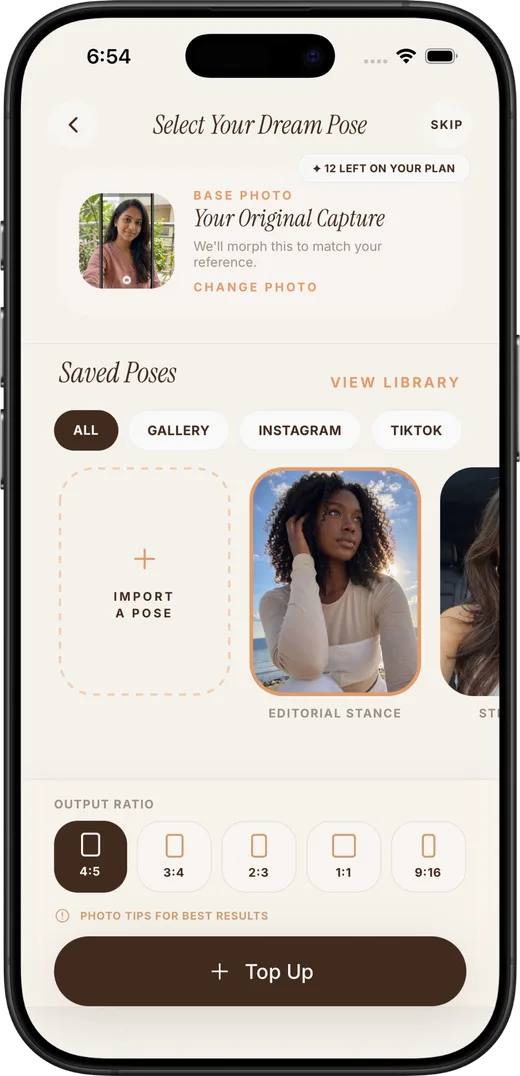
- Save the reference. On Instagram, TikTok, or Pinterest, open a photo post and use Share → ShePoses (or More → ShePoses the first time). Screenshots also work, but a clean share keeps more detail.
- Add your photo. Take one now or pick from your gallery — one person, clothed, face visible, in decent light.
- Match the framing. Selfie with selfie, waist-up with waist-up, standing with standing. If they do not match, swap one before you generate.
- Pick the shape. Choose the output aspect ratio (4:5 is the Instagram feed default) so the result fits where you will post it.
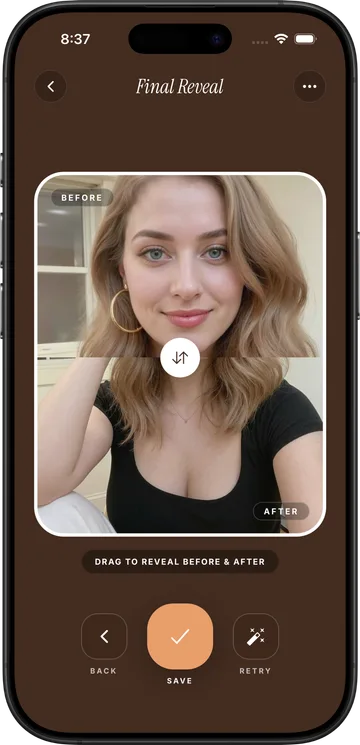
- Generate and compare. Hold to compare before and after, then keep it, retry with another reference, or save it.
Which reference photos work best?
The reference only has to show the pose clearly. A few rules remove most bad results:
- One person. Group and couple photos confuse which body is the pose.
- Whole pose visible. If the hands or feet you care about are cropped off, the AI has to guess them.
- Same framing as your photo. A face close-up has almost no pose information for a standing shot, and a standing pose cannot be squeezed into a tight selfie.
- A pose your setting can support. A lean needs something to lean on; a sitting pose needs somewhere to sit. If your photo is on a sofa, a railing lean will look strange.
- Clothed references. Swimwear and lingerie stills are more likely to be blocked by AI safety filters, even when your own photo is fine.
Will the result still look like me?
That is the point of pose transfer: the face, skin tone, and identity come only from your photo. The results that drift are almost always caused by the inputs — a dark or blurry photo of you, a face turned far from the camera, sunglasses, or a reference framed very differently from your photo.
Give it a sharp, well-lit photo where your face is clearly visible, and match the framing. If one result still is not you, try a second reference rather than the same pair again.
Is it free?
Running image models costs money per picture, so most pose-transfer apps are paid. ShePoses is an iPhone app that requires a subscription (Weekly $9.99/week or Annual $79.99/year in the US, billed by Apple), with optional one-time top-ups if you run out of generations. Lining up a pose with the in-camera overlay costs nothing.
Skip the practice — transfer the pose
ShePoses applies any saved pose to your own photo with AI. Your face, outfit, and background stay yours — only the pose changes.
Download on the App StoreCommon questions
Is there an app that puts you in a pose from a picture?
Yes — that is AI pose transfer. ShePoses takes a pose from any reference photo (Instagram, TikTok, Pinterest, or your gallery) and applies it to your own photo, keeping your face, outfit, and background. It is an iPhone app and requires a subscription.
What is the difference between pose transfer and face swap?
Face swap keeps the other photo’s body, outfit, and background and only replaces the face. Pose transfer keeps your whole photo — face, outfit, background — and only changes the pose.
Can AI copy a pose from Instagram onto my photo?
Yes. Share the Instagram photo post into a pose-transfer app, add your own photo, and generate. Use photo posts, not Reels or videos, and pick a reference with one person whose framing matches your photo.
Why does an AI pose result sometimes not look like me?
Usually the input photo: low light, blur, a face turned away, sunglasses, or a reference framed very differently from your picture. Use a sharp, well-lit photo with your face visible and match selfie to selfie or full-body to full-body.
Does pose transfer change my outfit or background?
It should not. A good pose transfer keeps your clothes, jewelry, and the place you took the photo, and only borrows the body position from the reference.
